AI Director Setup

Bring your own Anthropic key.

Pro and Venue licenses unlock the AI Director feature; you bring your own Anthropic API key so the calls are billed straight to you. You own the meter, you see every cent, no surprises on our side or yours. Setup is three steps and takes under five minutes.

The setup

Three steps.

You'll create a free Anthropic developer account at console.anthropic.com. That's a separate site from claude.ai (the chatbot) — different account, different billing. The API key comes from the developer console.

  1. 1

    Sign up at console.anthropic.com

    Open console.anthropic.com and create an account. Then add a payment method, or pre-pay credit (often the safer choice — once your balance hits zero, the meter stops; no surprise bills). $5 of pre-paid credit covers most casual users for months.

    Already have a claude.ai login? You'll still need to sign up here separately — they're sister products under the same company but distinct accounts and billing.
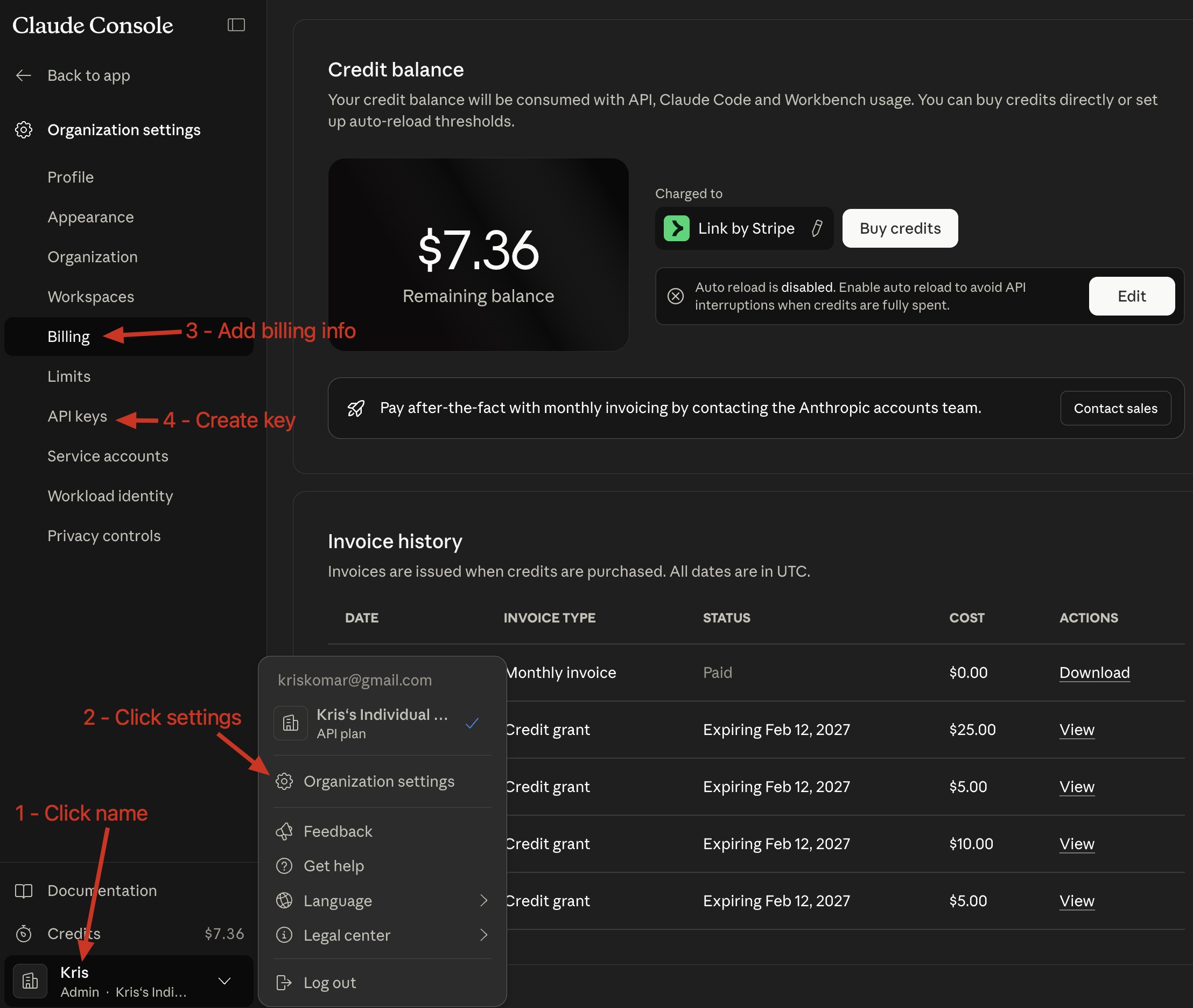
    Anthropic console Billing page with the Add to balance button highlighted
    Anthropic console → Billing → Add credit
  2. 2

    Create an API key

    In the console, open Settings → API Keys and click Create Key. Give it a name like "Conductør" so you know what it's for. Anthropic will show the key value once — copy it now. If you lose it, no big deal: just create another and revoke the lost one.
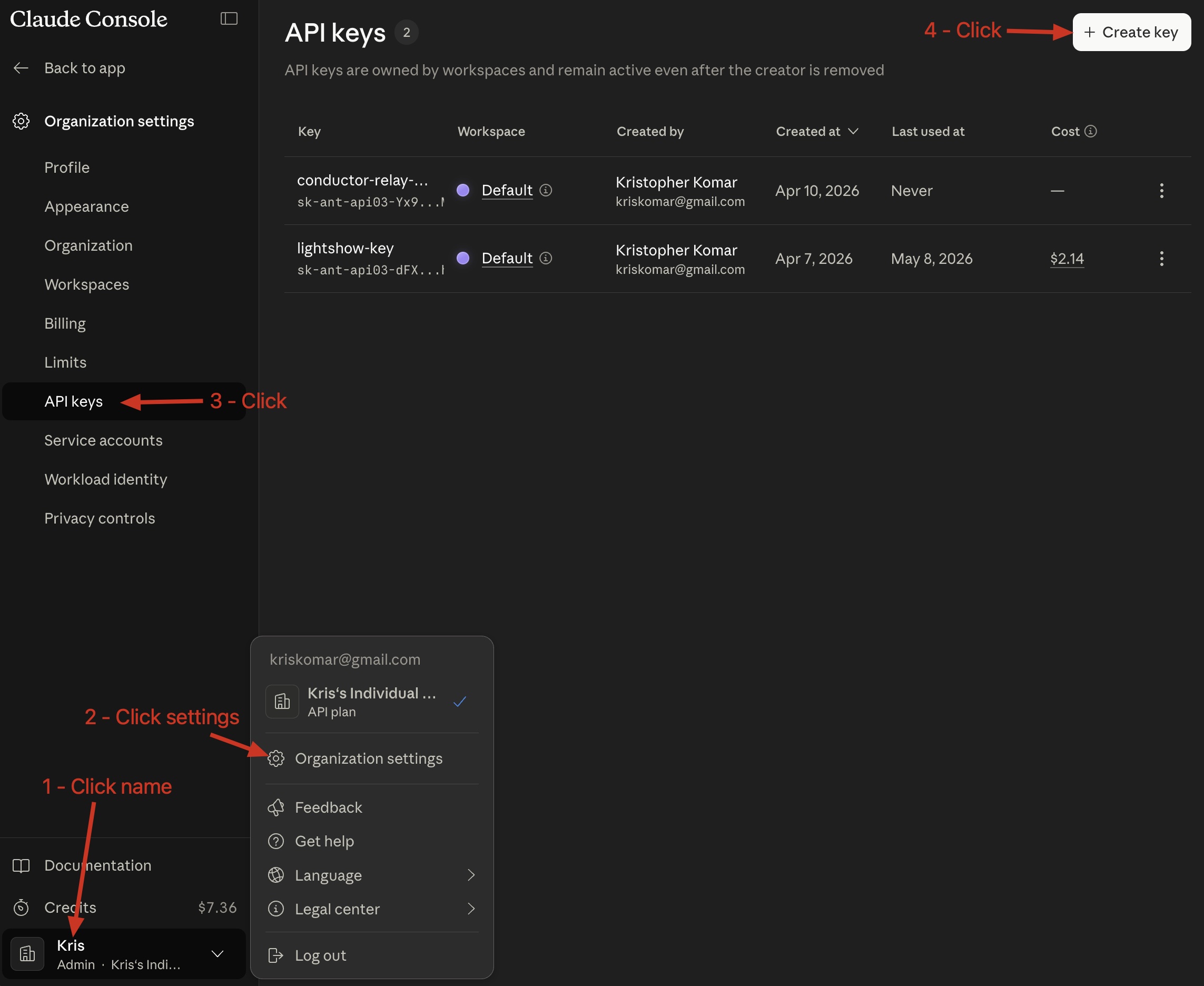
    Anthropic console API Keys page with the Create Key button
    Settings → API Keys → Create Key
  3. 3

    Paste it into Conductør

    In Conductør, open Settings → Director (or the post-activation modal if you just activated). Paste your key into the input field — Conductør validates it in the background and saves it locally on your machine. The key never leaves your computer.
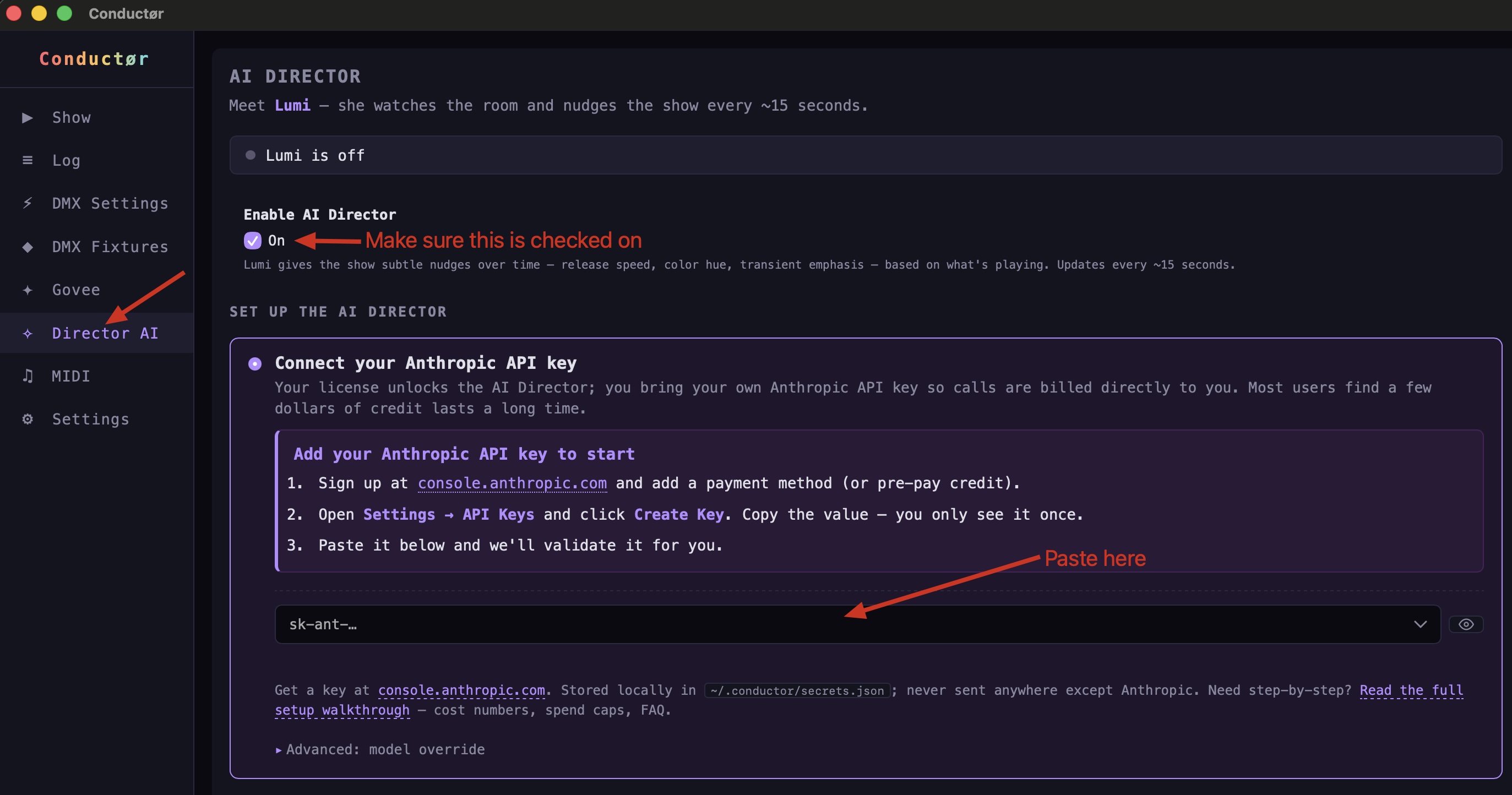
    Conductør Settings Director tab with the API key input field
    Conductør → Settings → Director → API key
What it actually costs

A few dollars goes a long way.

The AI Director runs on Claude Haiku 4.5, Anthropic's fastest, cheapest model. Conductør pre-caches the long director instructions so they don't get re-billed on every call. Here's real data from a week of typical use:

$1.72
Total spend, one full week
~700
Director calls in that week
~$0.0025
Average cost per call
92.9%
Cache hit ratio (lower cost per call)

Translation: a $5 pre-paid balance covers a casual or weekend user for months. A working DJ doing several gigs a week might spend $5–$15/month. A permanent venue install running daily would be more — but you see every cent in the Anthropic console as it happens, and you can set spend caps to be safe (next section).

Avoid surprises

Three layers of cost safety.

BYOK means you control the meter — and that includes the off switch. You don't have to trust us to bound your spend; you have direct levers in both Anthropic's console and Conductør itself.

Common questions

Things people ask first.

Already have Conductør installed? Open Settings → Director in the app — it has the same walkthrough plus an inline key validator.